TriageAI
From Bug Report to Root Cause in 60 Seconds
The Problem No One Talks About
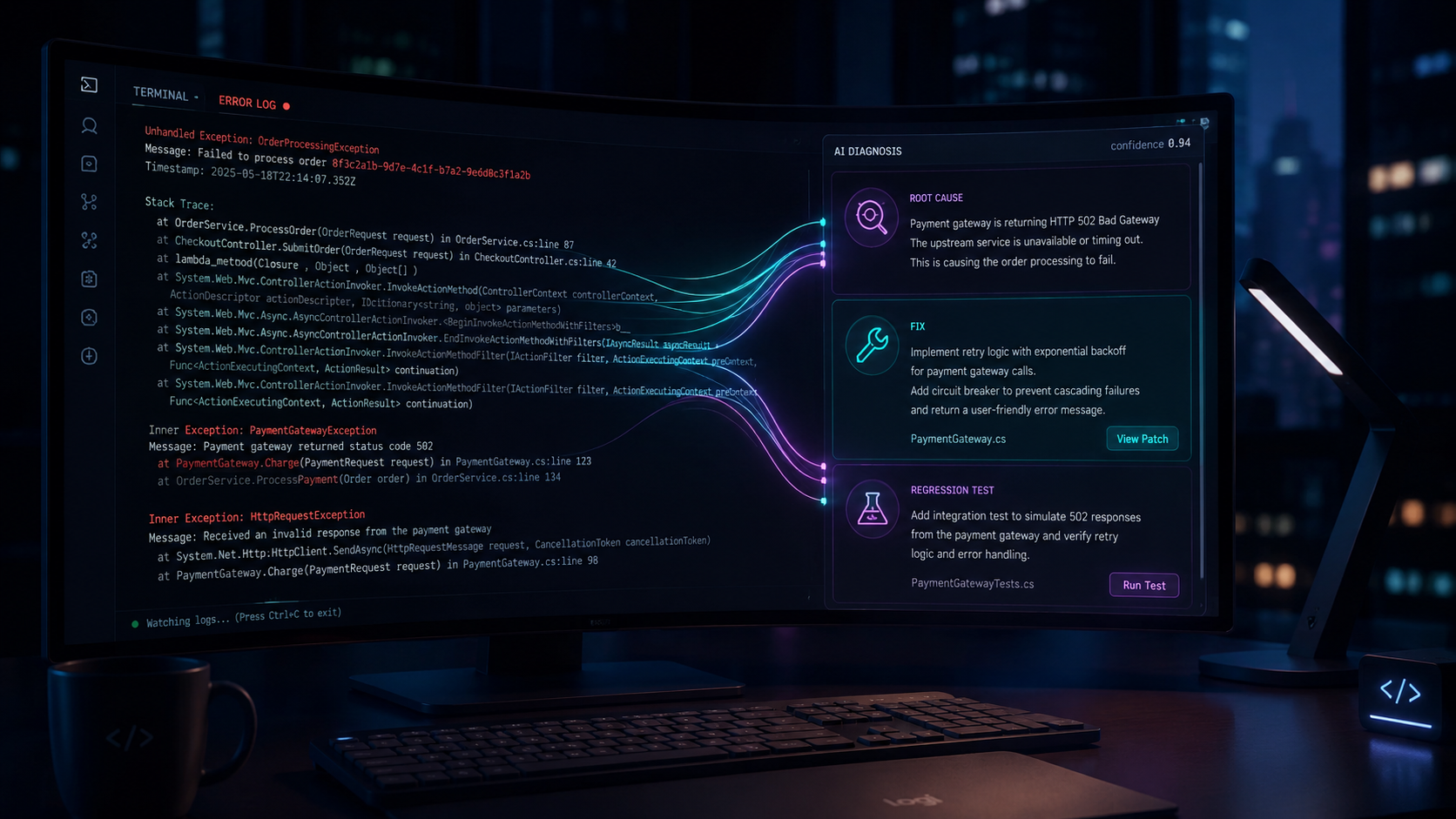
Every sprint, engineering teams lose hours to a task that never makes it onto the roadmap: bug triage. When something breaks in production, an engineer drops everything and starts detective work — reading stack traces, grepping through the codebase, running git blame, checking recent commits. For a moderately complex bug, this takes 45 to 90 minutes. Before a single line of fix is written.
Multiply that by 15 bugs a sprint, across a 10-person team, and you are looking at weeks of engineering time lost every quarter — not to building, but to investigating.
Two more problems compound this. Junior developers and interns get stuck immediately — they do not know which files to look at or how to read a stack trace in context, so they interrupt seniors who are already stretched. And when triage is finally done, teams are so drained that fixes ship without regression tests — meaning the same bug returns three months later, costing the same time all over again.
TriageAI was built to solve all three.
What TriageAI Does
TriageAI is a Claude-powered AI agent that takes any bug report — a Jira ticket, a Sentry error, a GitHub issue, or a raw log paste — and delivers a complete diagnosis in under 60 seconds:
- A root cause with the exact file and line number responsible
- A suggested fix with code diff and rationale
- An auto-generated regression test that fails on the buggy code and passes after the fix
The diagnosis is posted automatically as a comment on the originating ticket. Zero extra steps for the developer.
How It Works
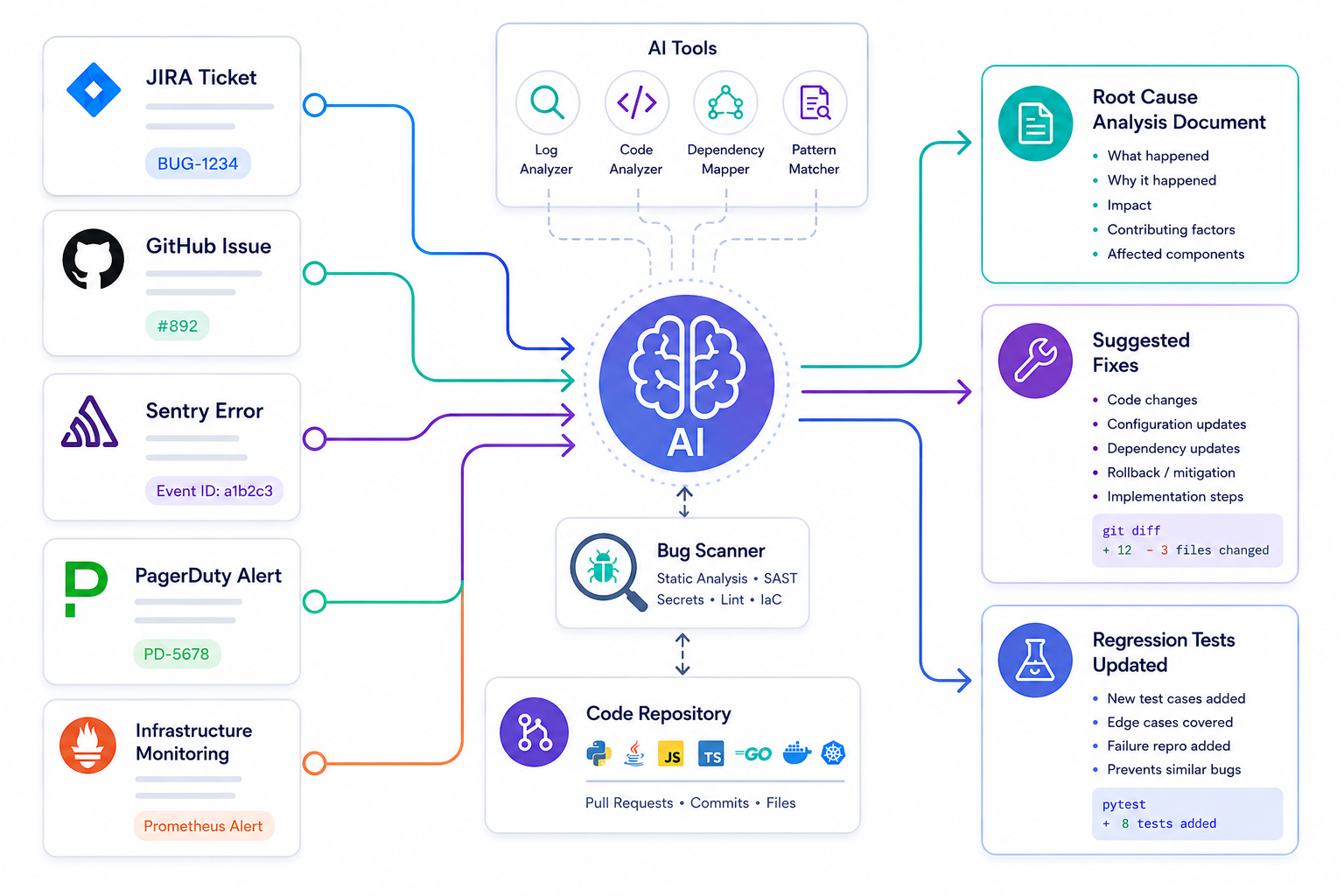
TriageAI is built on Claude's tool-use capability — not a simple chatbot, but a reasoning agent that plans and executes a multi-step investigation.
Input normalization
TriageAI accepts Jira webhooks, Sentry payloads, GitHub issue events, or plain text. A normalizer strips noise and extracts the stack trace and context into a consistent structure regardless of source.
Claude agent loop
the final response is formatted into three named sections (root cause, fix, regression test) and posted back via the GitHub or Jira REST API as a comment on the originating ticket.
Claude receives the normalized report alongside a set of tools: search_codebase (ripgrep wrapper), read_file, git_blame, list_recent_commits, and run_test. It plans which tools to call, reads the results, and iterates — exactly like a senior engineer working through a debugging session. The loop runs until Claude has enough evidence to produce a confident diagnosis.
Structured output
The key insight is the feedback loop: every tool result is appended to the message history before the next Claude call, giving the agent a growing body of evidence to reason over rather than a single static prompt.
The Impact
| Metric | Befor | After |
|---|---|---|
| Time to root Cause | 45-90 mins | ~60sec |
| Junior dev self-sufficiency | Low | High |
| Senior interruptions per sprint | Frequent | Minimal |
A 10-person team fixing 15 bugs per sprint reclaims 20+ engineering hours every cycle. Over a quarter, that is the equivalent of a full sprint of building time given back.
Beyond the numbers: junior developers and interns become self-sufficient. They use the agent's reasoning — which files it searched, which commit it traced, why it reached its conclusion — as a learning tool. Test coverage grows automatically as a byproduct of fixing bugs, not as a task teams have to schedule and inevitably skip.
Security Best Practices When Using AI for Bug Triage
Integrating an AI agent into your debugging and incident response workflow introduces real security considerations. Following these practices is essential before deploying TriageAI — or any AI-powered triage tool — in a production environment.
- Never send production secrets to the AI model. Before passing a log file or stack trace to the agent, strip or redact credentials, API keys, tokens, database connection strings, and PII. Use a pre-processing step — a regex scrubber or a secrets-detection library — to sanitize inputs before they reach the Claude API. What goes into the prompt goes into Anthropic's infrastructure; treat it with the same care as any external API.
- Scope repository access tightly. The tools TriageAI calls — read_file, search_codebase, git_blame — should operate on a read-only clone of the relevant repository, not your live production filesystem. Use a dedicated service account with the minimum permissions required: read access to source code, no write access, no access to infrastructure configuration or secrets vaults.
- Audit every tool call. Log the full input and output of every tool the agent invokes. This gives you a complete audit trail of what code the agent read, which commits it accessed, and what conclusions it drew. Store these logs with the same retention and access controls as your other security logs.
- Treat AI output as a hypothesis, not a verdict. The agent's root cause is a well-reasoned starting point, not a guaranteed answer. A human engineer should review the diagnosis before a fix is merged, especially for security-sensitive bugs (authentication bypasses, injection vulnerabilities, access control issues). Never configure TriageAI to auto-merge fixes without human review.
- Control what the agent can execute. The run_test tool executes shell commands inside your environment. Restrict this to a sandboxed container — never run tests against production databases or services. Define an allowlist of test commands the agent is permitted to run and validate inputs before execution to prevent prompt-injection attacks from malicious bug reports.
- Protect the API key. Your Anthropic API key must be stored in a secrets manager (AWS Secrets Manager, HashiCorp Vault, GitHub Actions secrets) — never in environment files committed to version control, never hardcoded in application code. Rotate it on a schedule and alert on unusual usage spikes that could indicate key compromise.
- Be cautious with customer data in logs. If your application logs contain customer data (names, emails, transaction IDs), those logs should not be sent to the agent without anonymization. Review your log retention and data classification policies before enabling TriageAI on any log source that touches regulated data (PII, PHI, PCI).
Final Thought
Bug triage is the invisible tax on every engineering sprint. TriageAI does not replace engineers — it removes the least valuable part of their day, so they can spend time on the work that actually matters. Every engineering team has this problem. TriageAI fixes it.